Sarasota Senior SoftballMon A & Wed A · srqsoftball.com
Manager GuideGame Day Monkey
Our Sub Board and Lineup Card run on Game Day Monkey. Here's everything you need to mark who's out, pick your subs and get your lineup ready. It takes about 5 minutes to read.
Tap Out next to anyone who can't play. Players can mark themselves too.
2
⏱️
Wait for your turn
You get a You're up email when it's your pick.
3
📞
Call, then Pick
Call your sub first. When he says yes, tap Find a sub → Pick.
4
✅
Tap Done
Got everyone you need? Tap Done: no more subs.
⚾ The rules in 30 seconds
📉
Worst record picks firstOne pick per turn, then the next team goes. Rounds repeat until every team is done.
⏸️
We wait for youThe turn only moves when you pick a sub or tap Done, even if nobody on your team is out yet.
📞
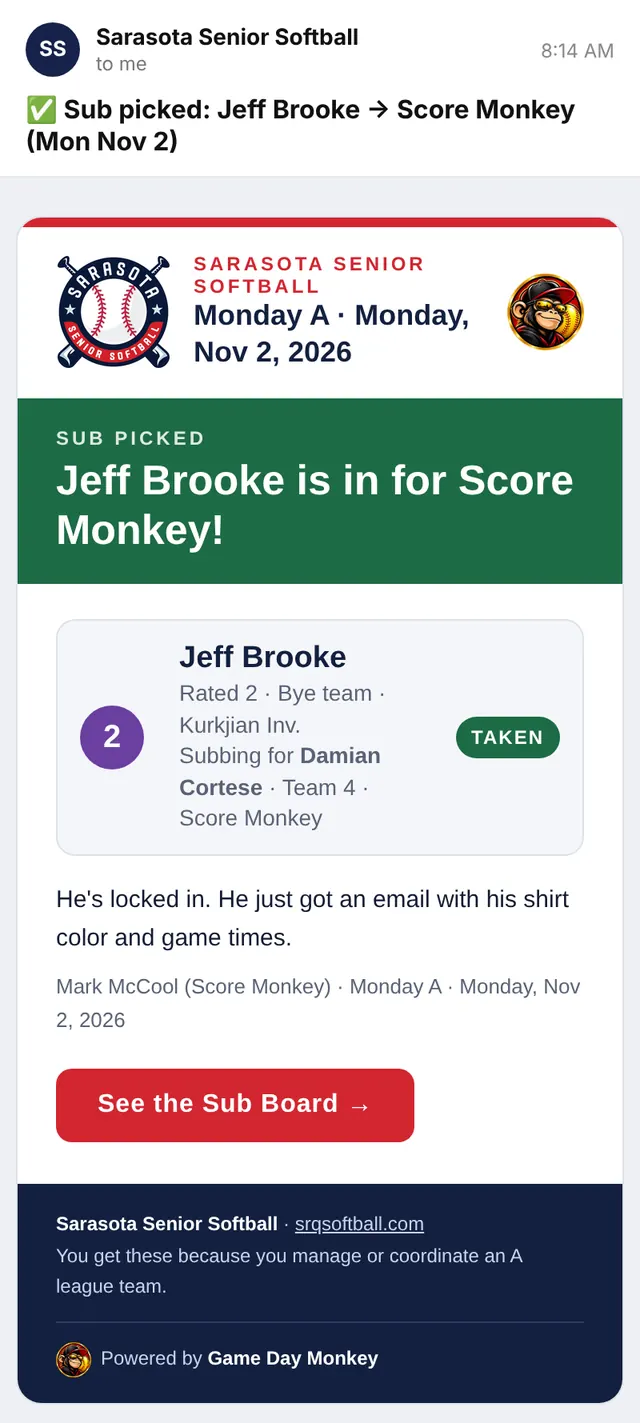
Call first, then PickA pick is final. Your sub gets his email right away with his shirt and game times.
🔢
Same rating or higherYour sub must be rated the same number as your out player, or a higher number. 0 is the strongest.
🟢
Where subs come fromThe bye team's players first, plus the call-up list.
🔓
Then it's openWhen every team is done, the list opens: first come, first served.
1 Get started
Sign in with your email
No PIN, no password. Tap your team and we email you a link. Tap it and you're in. You only do this once on each phone or computer.
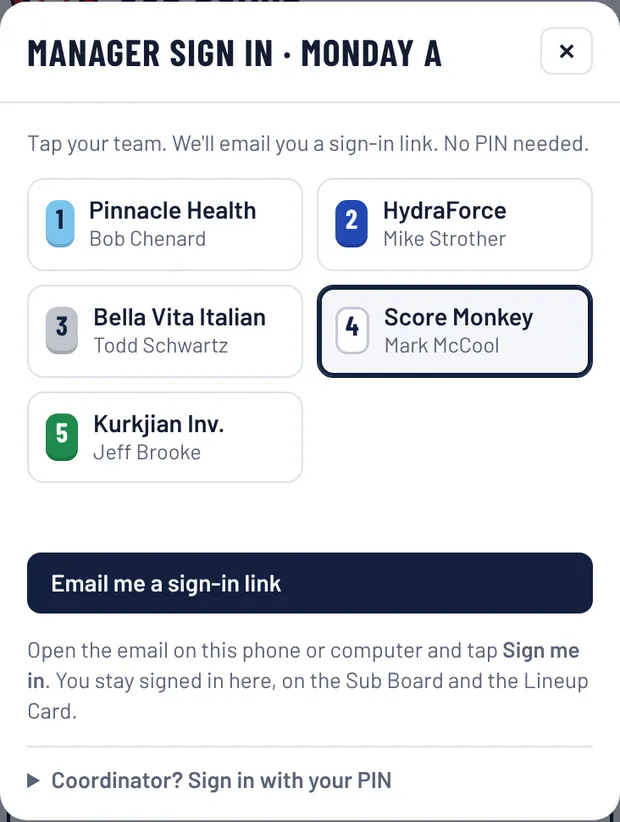
Go to srqsoftball.com/subs, pick Monday A or Wednesday A at the top, and tap Manager sign in.
Tip: add the Sub Board to your phone's home screen so it opens like an app.
2
✓
Tap your team, then Email me a sign-in link.
3
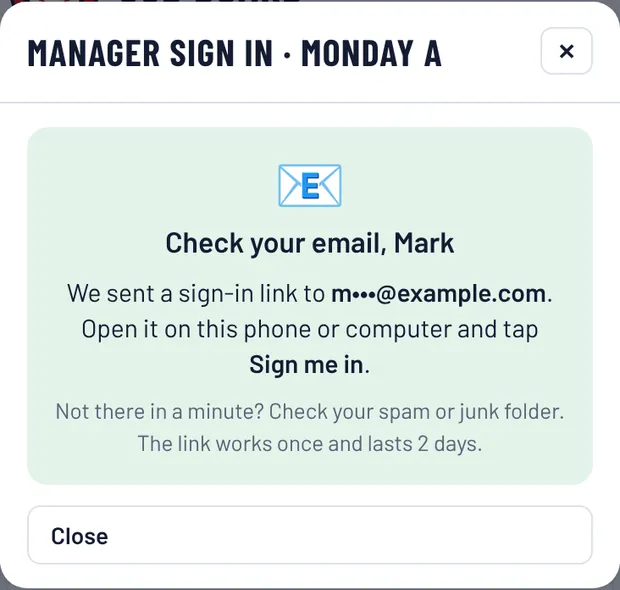
It tells you where the email went.
4
✓
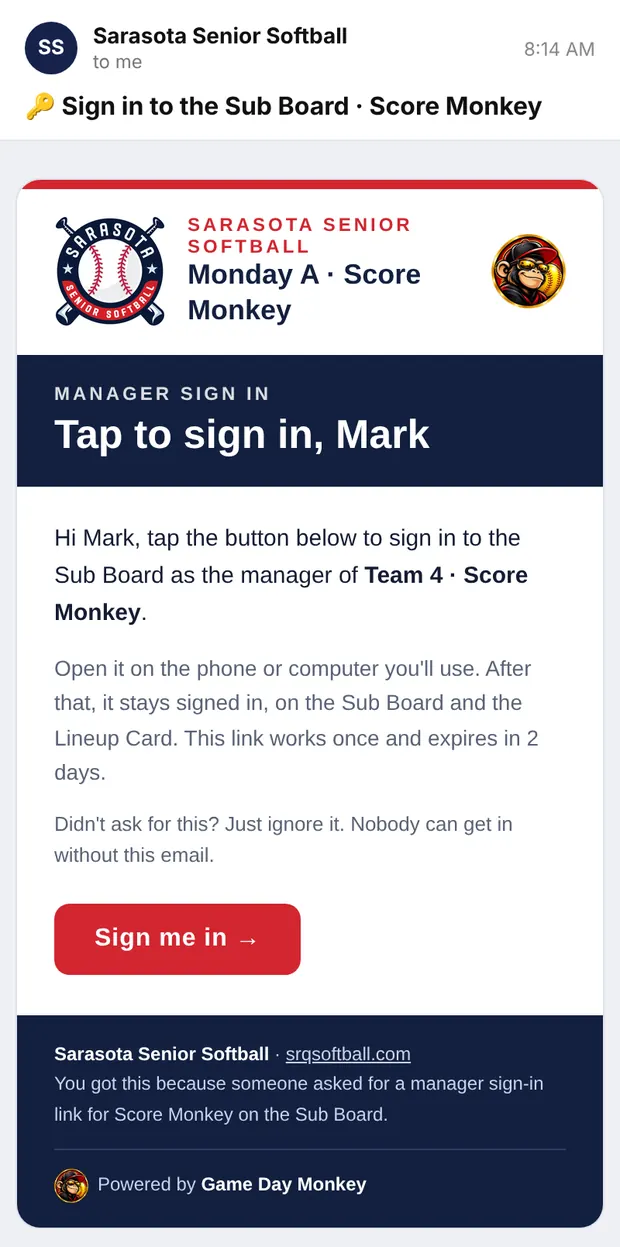
Open the email on the same phone and tap Sign me in.
5
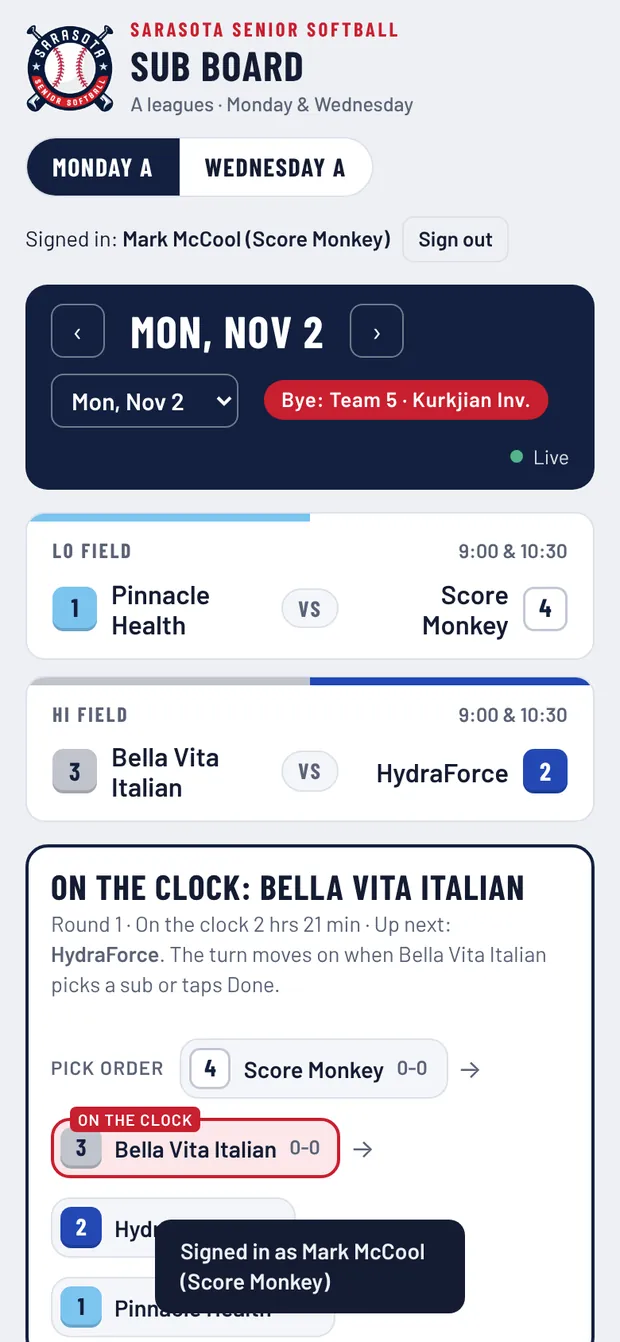
You're in. It says Signed in at the top, and your card says YOUR TEAM.
✅
It remembers you on that phone or computer, on the Sub Board and the Lineup Card. Manage a team in both leagues? One sign-in covers both. New phone? Just do it again.
📬
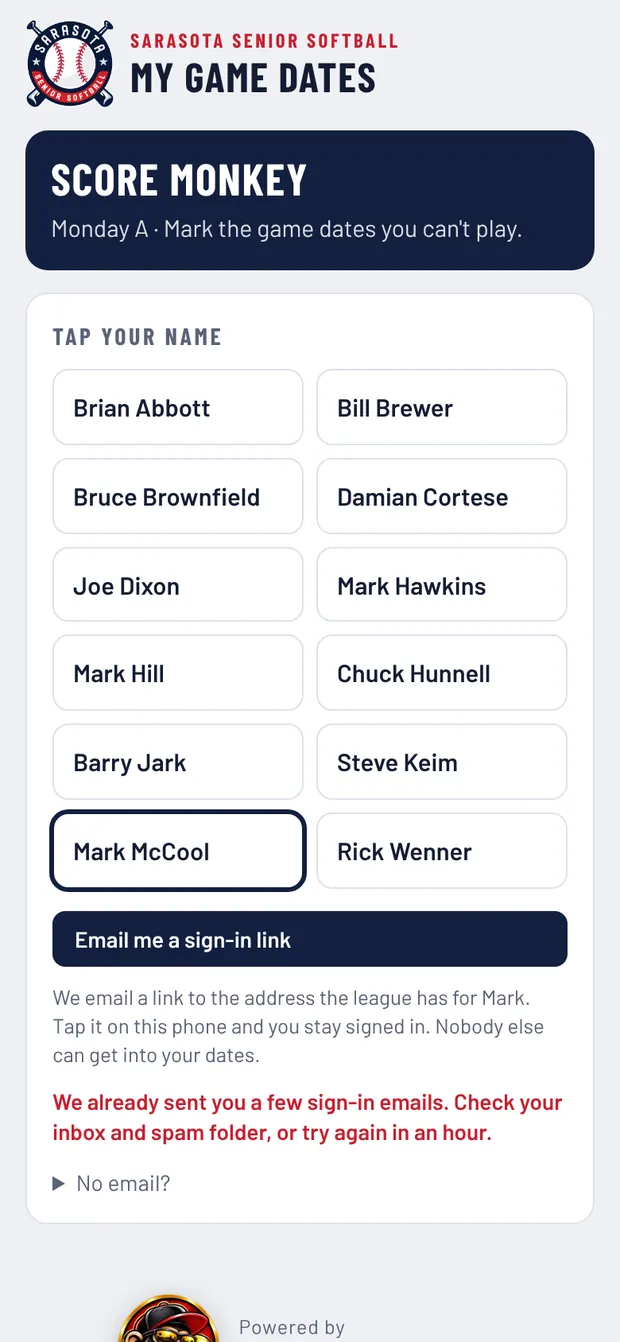
No email? Check spam or junk. The link works once and lasts 2 days. Still stuck, or the league has the wrong email for you? Your coordinator can fix it or sign you in on your phone.
2 Before picks
Mark who's out
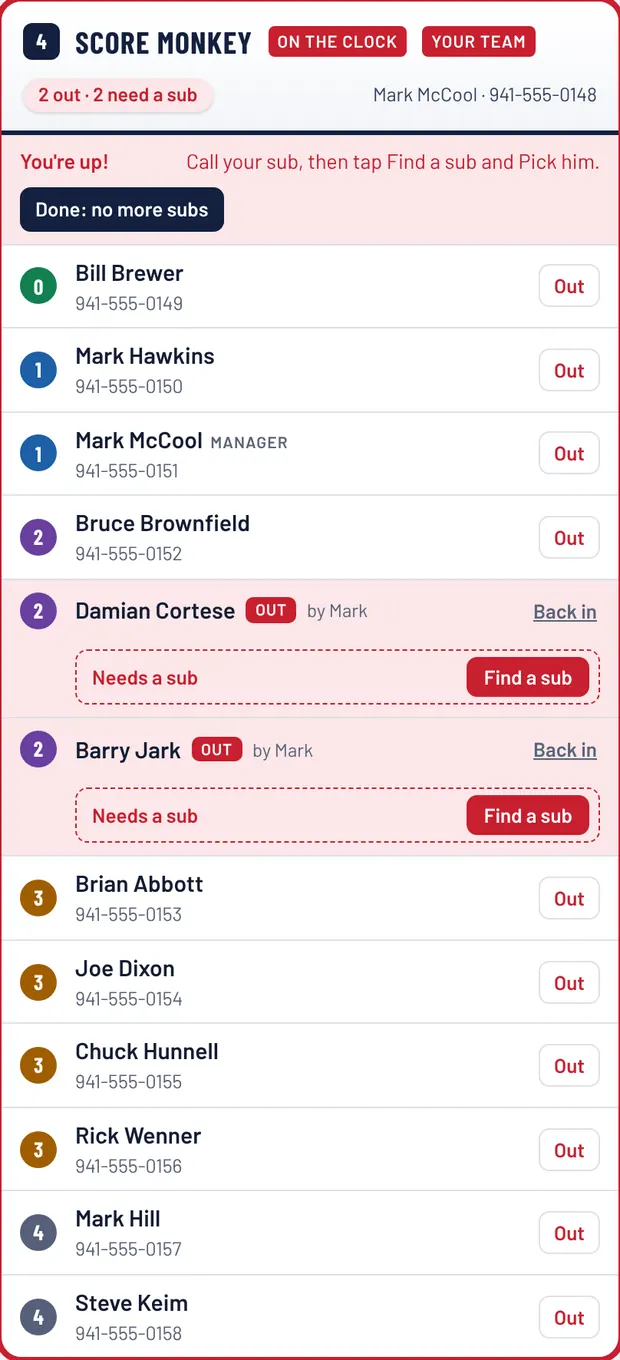
Pick the game day at the top of the board. Then, on your team's card, tap Out next to anyone who can't make it.
1234
Your team's card (Score Monkey is on the clock here).
Out: tap it next to a player who can't play.
Changed your mind? Tap Back in.
He turns red with Needs a sub under him.
Find a sub shows up when it's your turn.
Before your turn it says “Waiting for your turn.”
Done: no more subs passes your turn. More on that below.
💡
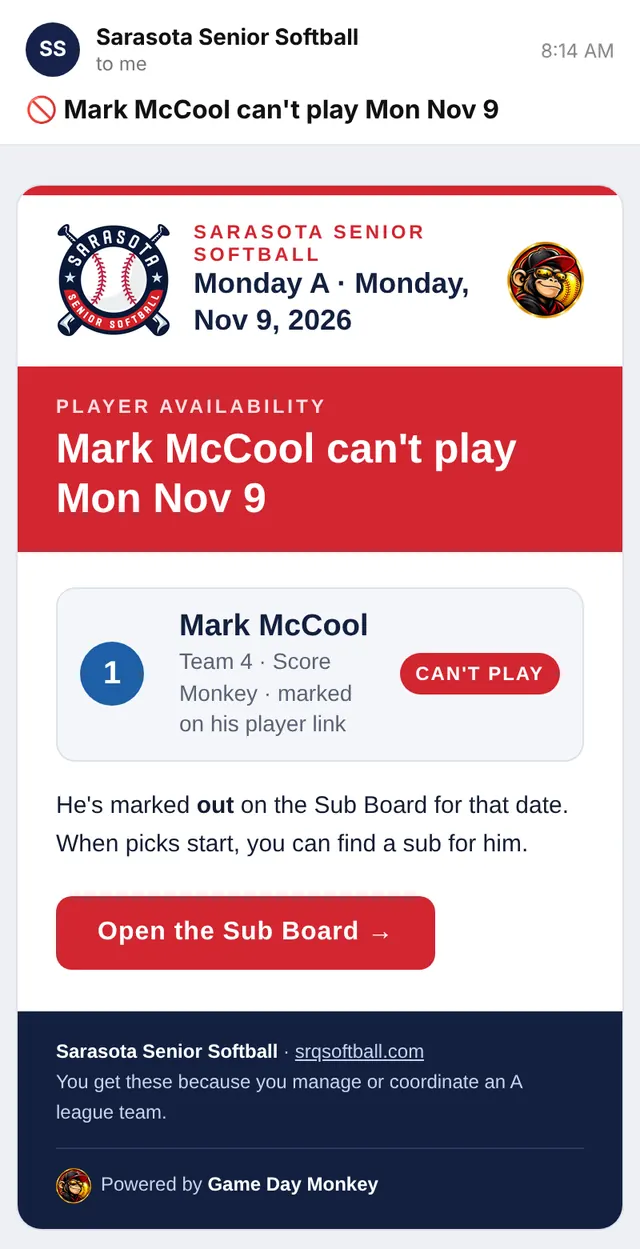
Your players can mark themselves. Tap Copy my team's player link at the bottom of the Sub Board and text it to your team. When a player marks a date he can't play, he shows as Out on your card and you get an email. See what they see ↓
3 Pick order
Whose turn is it?
The box near the top of the board shows the order and who's on the clock. The team with the worst record picks first. The bye team doesn't pick that week (its players are the subs).
4Score Monkey · 2nd sub→3Bella Vita→2HydraForce→1Pinnacle→ … until all teams are Done
srqsoftball.com/subs
What you'll see: Score Monkey is on the clock and Bella Vita Italian is up next.
srqsoftball.com/subs
After Score Monkey picks, the turn moves to Bella Vita Italian by itself.
⏰
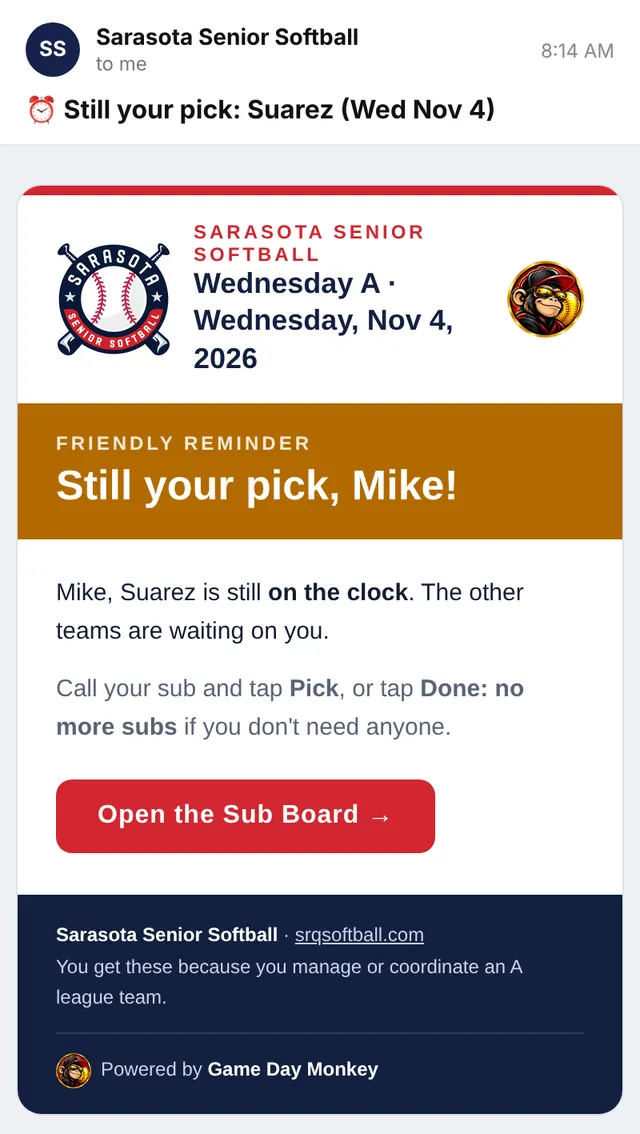
Slow pick? If you've been on the clock for 2 hours you get a friendly “Still your pick” email. After 4 hours the coordinator gets a heads-up and can skip you. The clock only counts 7 AM to 9 PM, so nobody gets nagged overnight.
👀
No need to refresh. The board updates by itself every 5 seconds. The green Live dot means you're seeing the latest.
4 Your turn
Call your sub, then Pick him
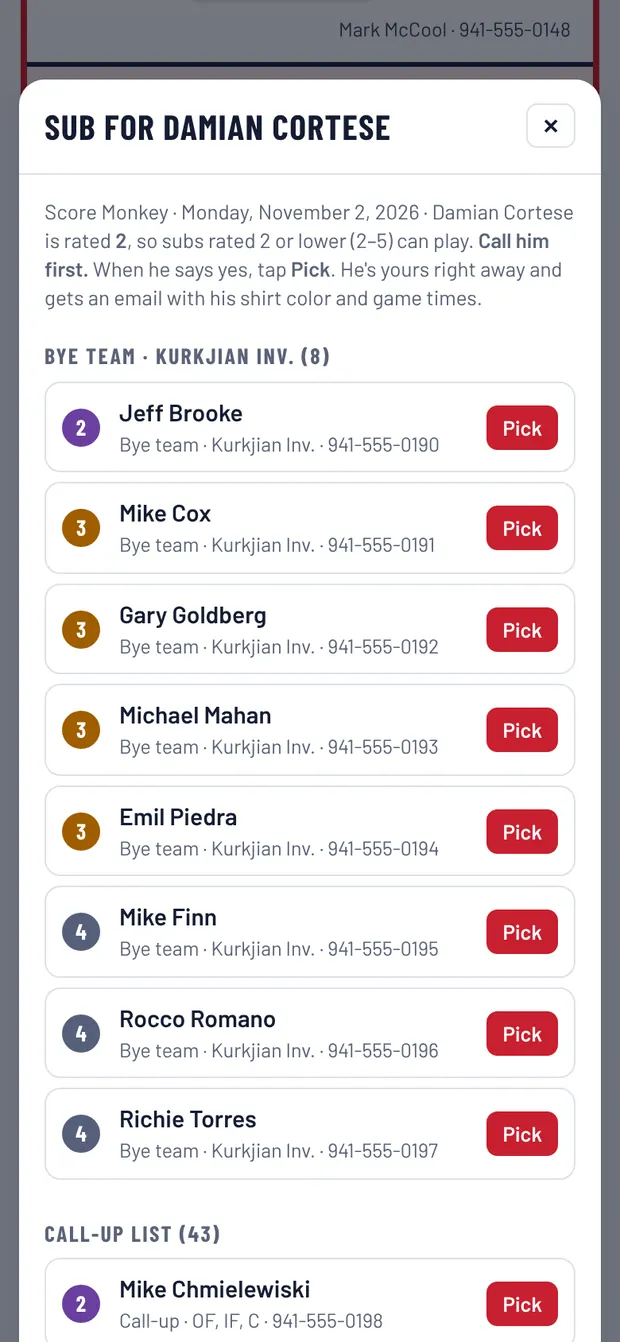
When it's your turn, your card turns red and says You're up! You also get a “You're up” email. Here's the whole thing:
A
A. Tap Find a sub next to your out player.
B
B. You only see players with the right rating. Call him first. When he says yes, tap Pick.
C
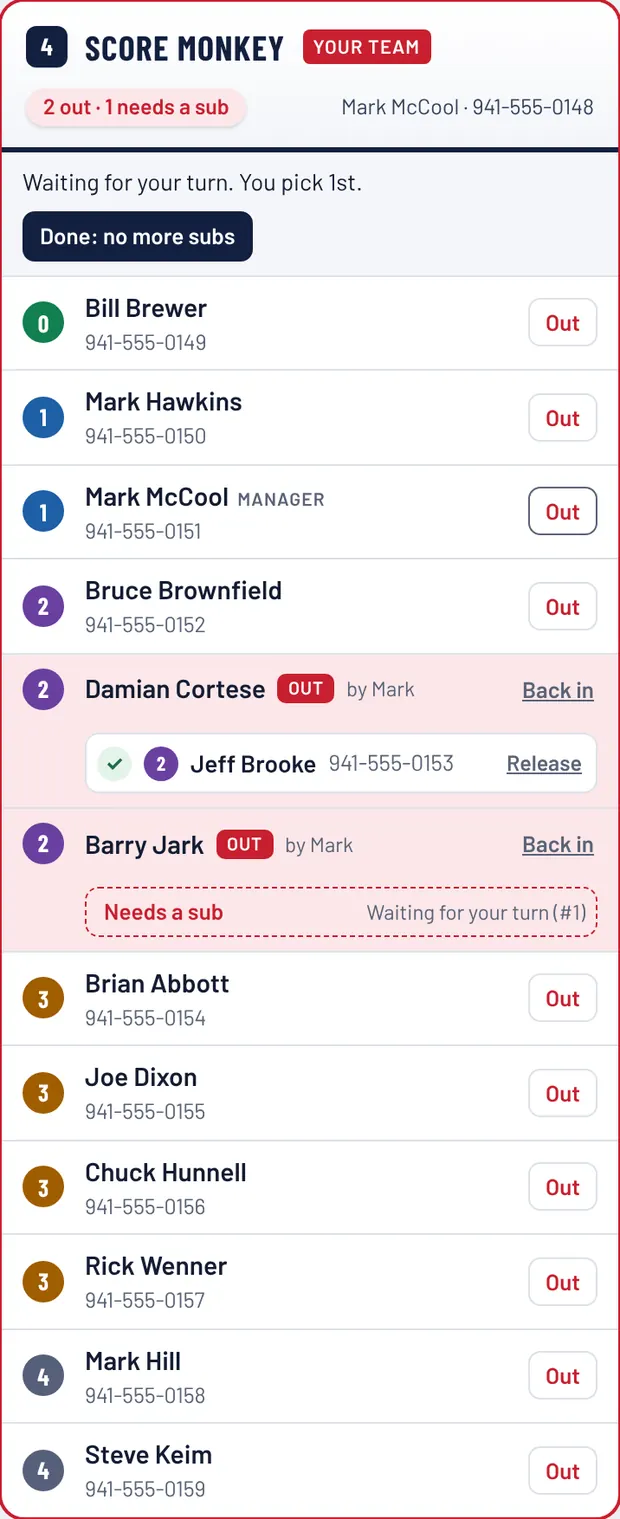
C. Done. He shows under your out player, the turn moves on, and he gets his email.
📞
Always call before you tap Pick. There's no “maybe.” Once you tap Pick he's marked TAKEN for every other team, and he's sent his shirt color and game times.
↩️
Plans changed? Tap Release next to your sub. He goes back on the list for others. Your turn doesn't come back, so you'll pick again in the next round, or once the list opens.
🔢
Ratings, quick version: 0 is the strongest and 4 the lowest. If your out player is a 2, your sub can be a 2, 3 or 4. The Find a sub list already filters this for you.
5 Finished?
Tap “Done: no more subs”
This tells everyone you're set, so the other teams don't wait on you. Tap it when:
Nobody on your team is out this week.
You already picked everyone you need.
You'll play short and don't want a sub.
🙋
Need one more after you tapped Done? Tap Undo Done on your card and you're back in the pick order.
🔓
When every team is Done, the list opens to everyone: first come, first served. The coordinator can also open the list early if picks stall.
6 Bye week
Your bye week: your players are the subs
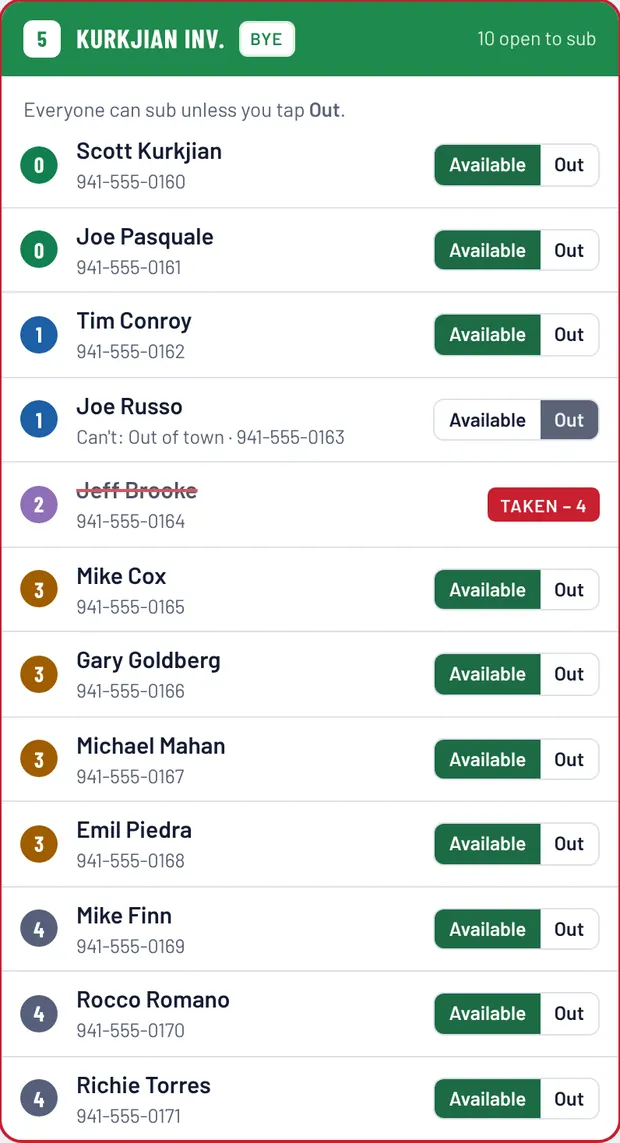
When your team has the bye, you don't pick. Your players are the first subs the other teams call. Everyone counts as Available unless you tap Out.
12
The bye team's card.
Out: tap it for anyone who can't sub that day (out of town, hurt, etc.).
Players can do this themselves from your team link.
TAKEN – 4 means he's been picked, here by Team 4. His name gets a red line through it so nobody else calls him.
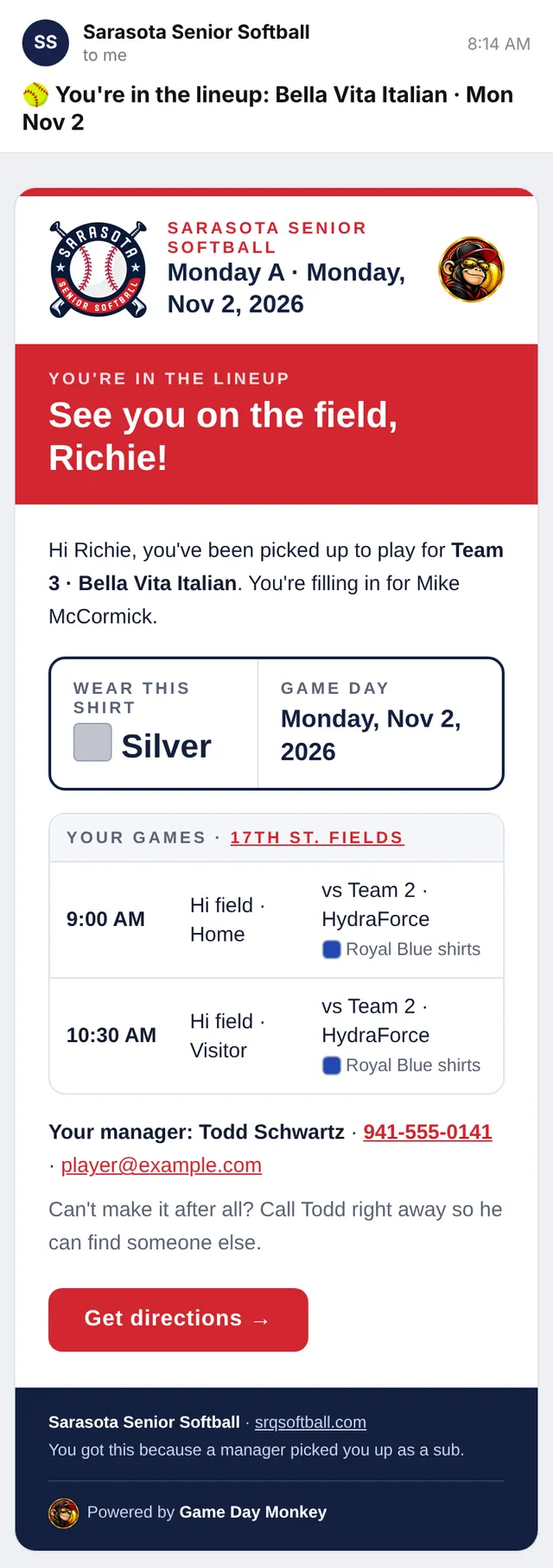
Your picked players get the You're in the lineup email with their shirt color, field and game times.
7 More subs
The call-up list
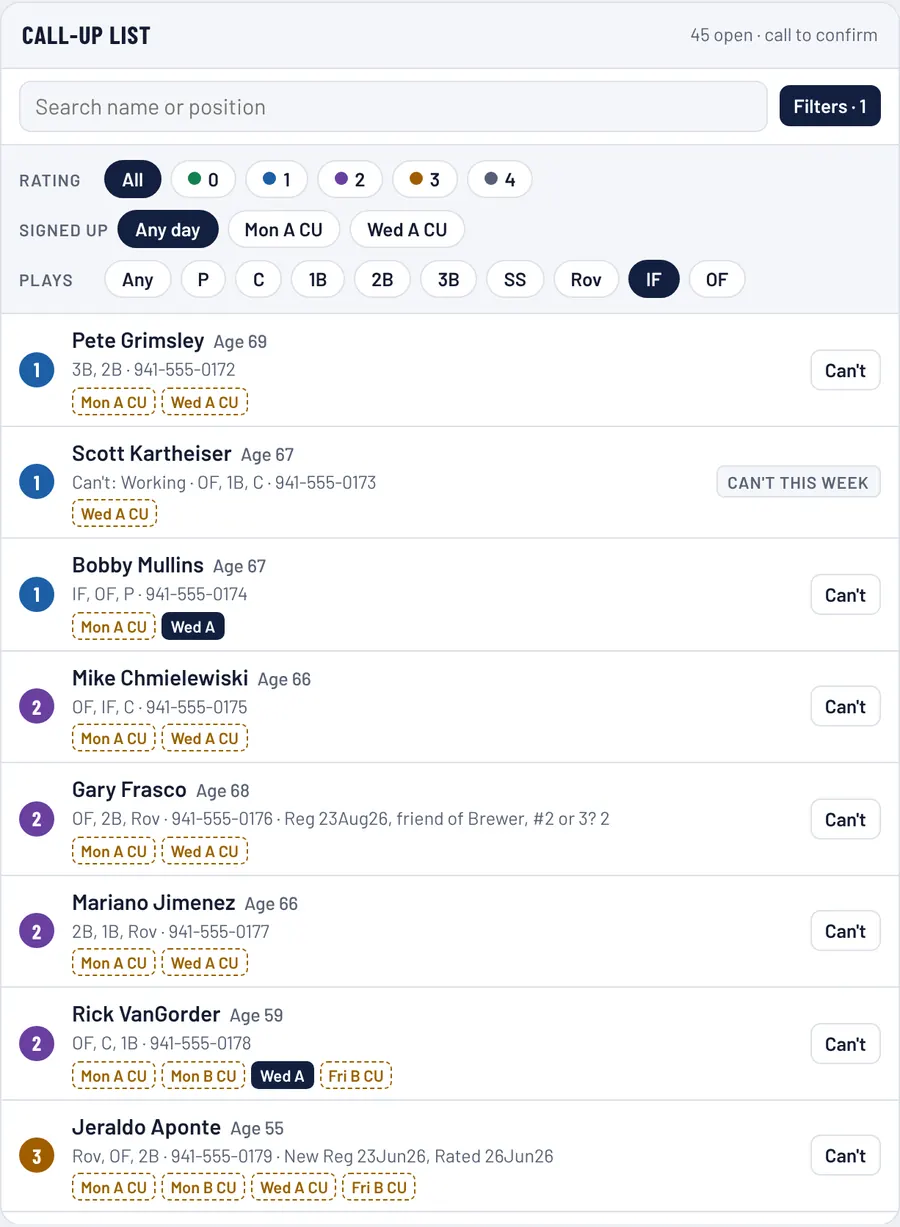
The call-up list comes from the association's latest SSSA Call-Up List. Every Mon A and Wed A call-up rated 0–4 is on it, because guys often play on a day they didn't sign up for. Tap Filters to narrow it down.
1234
Filtered to IF (infielders).
Filters opens three rows:
Rating: 0–4 (tap more than one). Signed up: only guys who signed up as a call-up for Mon A or for Wed A. Your filters stay on until you change them.
Plays picks a position.
IF = any infielder (IF, 1B, 2B, 3B, SS or Rov). OF = any outfielder.
Badges show where he plays:
Mon A CU signed up as a call-up for that day
Wed A on a team in that league
Can't: called someone and he can't make it? Tap it so nobody else wastes a call. It shows Can't this week for everyone.
0strongest
1
2
3
4
🔒
Ages, badges and filters only show when you're signed in as a manager.
8 Game day
The Lineup Card
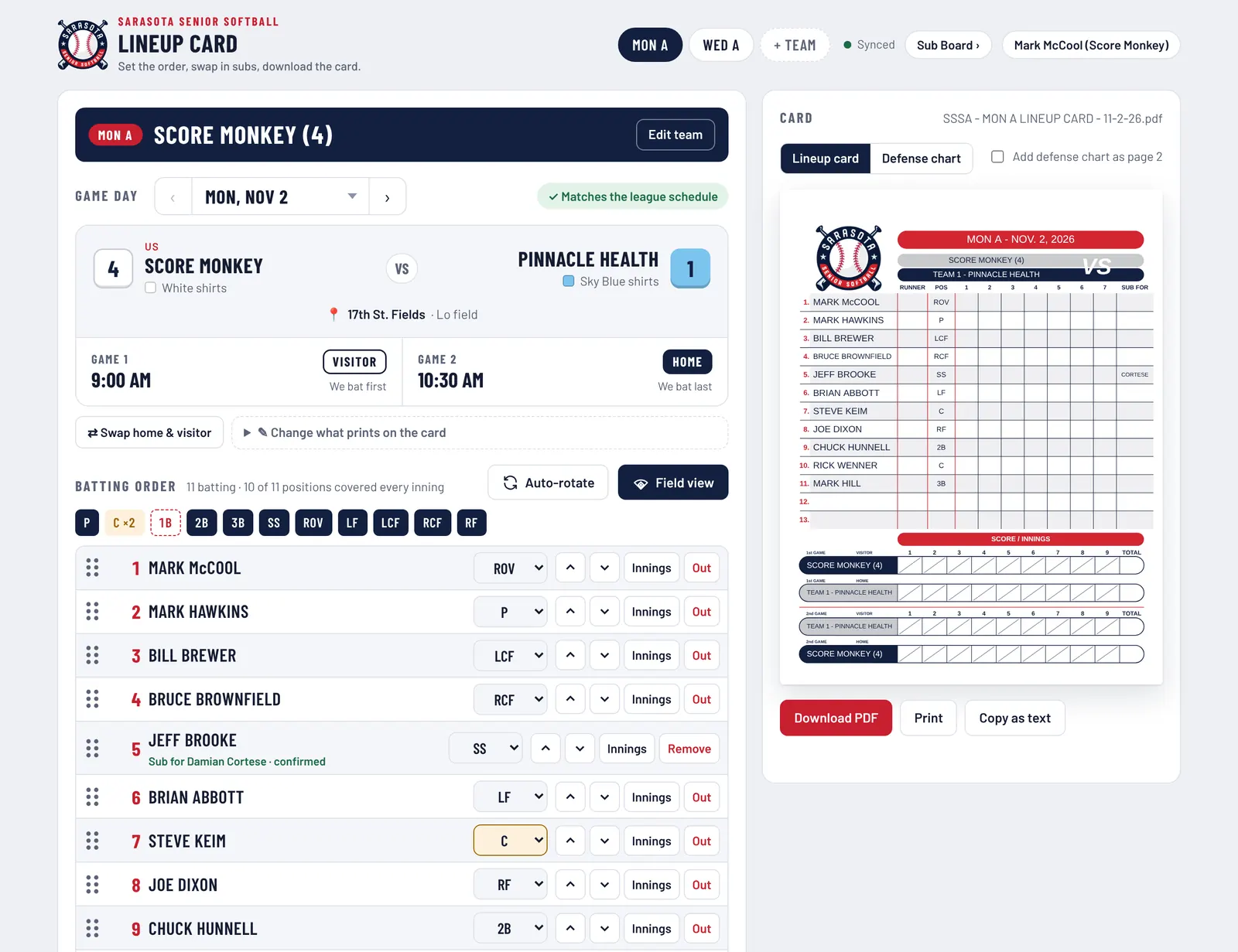
At srqsoftball.com/lineup. If you're signed in on the Sub Board, you're already signed in here. The game day card at the top shows your matchup. Your subs drop into your batting order by themselves, marked “Sub for …”. Set the order and positions, then download or print the card.
srqsoftball.com/lineup
12345
1️⃣
Game day at a glance
Who you play, both teams' shirt colors, the field, and home or visitor for each game. Tap ‹ › to change weeks.
2️⃣
Your sub is already in
Picked subs show up in your order with who they're subbing for.
3️⃣
Drag or use the arrows
Reorder the lineup. Pick a position for each player.
4️⃣
Auto-rotate
Spreads positions by inning. Field view shows who's where.
5️⃣
Download or print
Get the official card as a PDF, print it, or copy it as text.
9 Your inbox
Emails you'll get
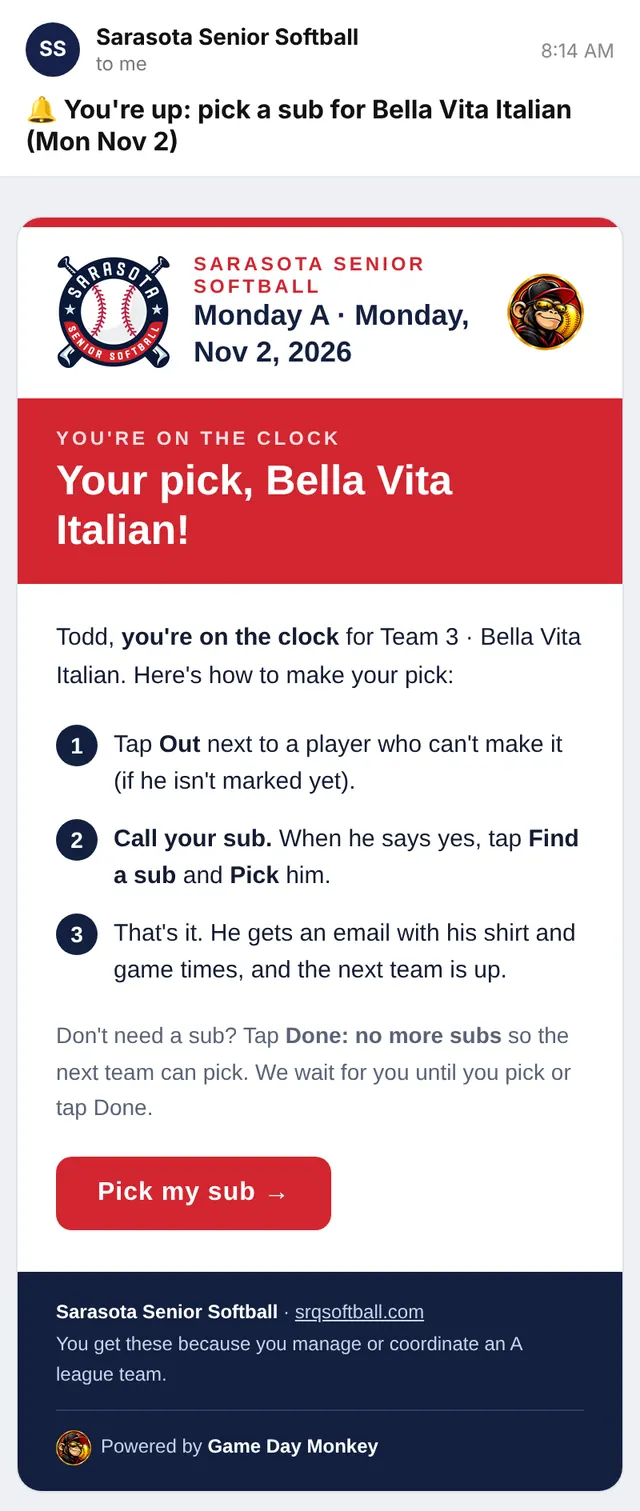
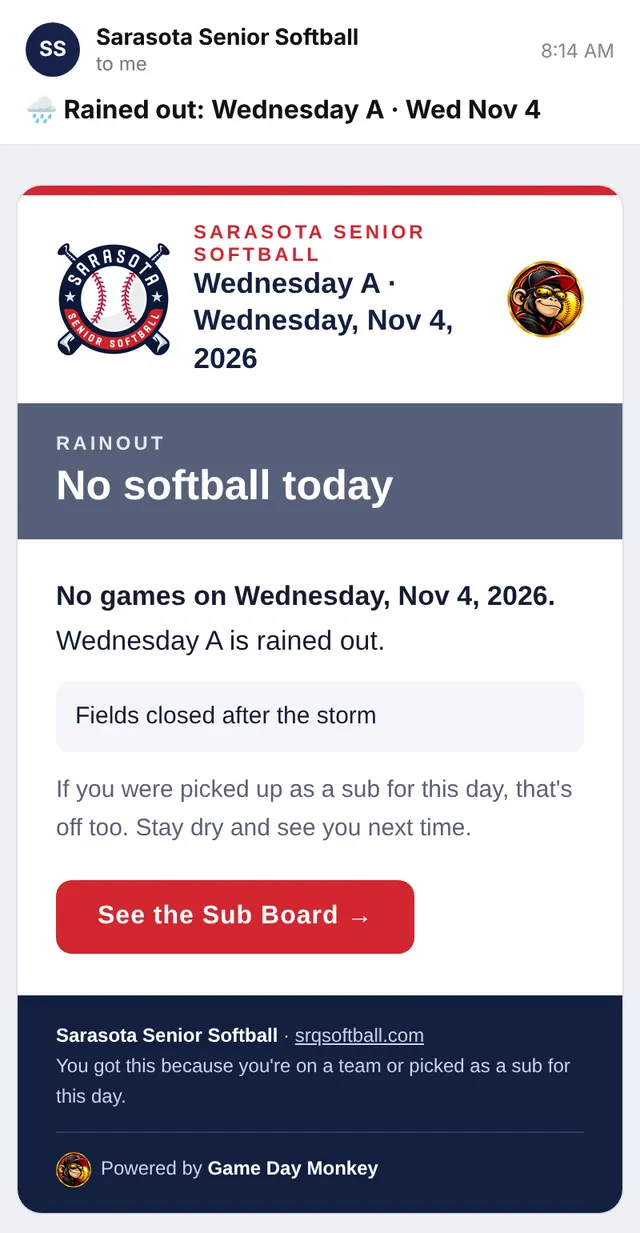
The Sub Board emails you at each step, so you don't have to keep checking. Every email has a button that opens the right page. Tap any email below to see all of it.
To you🔔 You're upIt's your turn to pick. Includes the 3 steps.
Not seeing them? Check your spam or junk folder and mark the email “Not spam.”
10 Weather
Rainouts
Only the coordinator can call a rainout. When he does:
srqsoftball.com/subs
📧
Everyone gets an email
Every player on the teams playing that day, every picked sub, and every manager.
🧊
Picks freeze
The board shows the rainout banner and nobody can pick for that day.
☀️
It can be undone
If the games are back on, picked subs are still saved and everyone gets a “Back on” email.
11 For your players
How your players mark their days
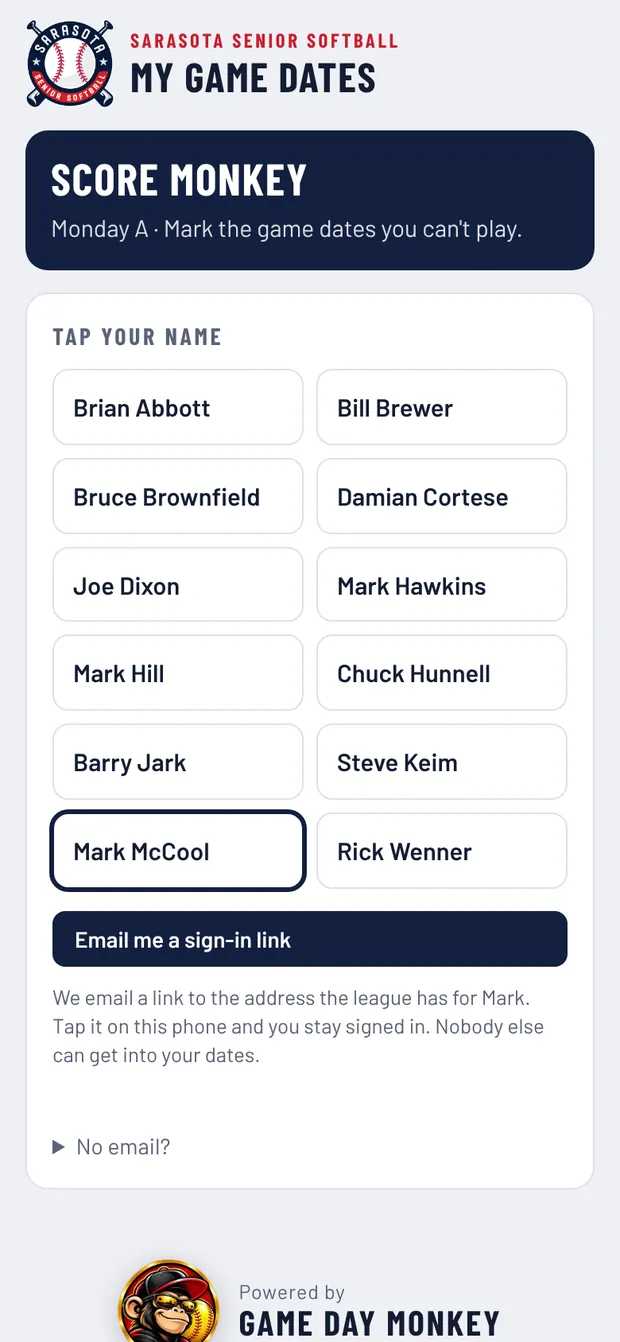
Text your team its player link (tap Copy my team's player link on the Sub Board). No password needed. Here's what they do:
1
Tap your name
Then tap Email me a sign-in link.
2
Open the email
Tap Sign me in on the same phone. He stays signed in.
3
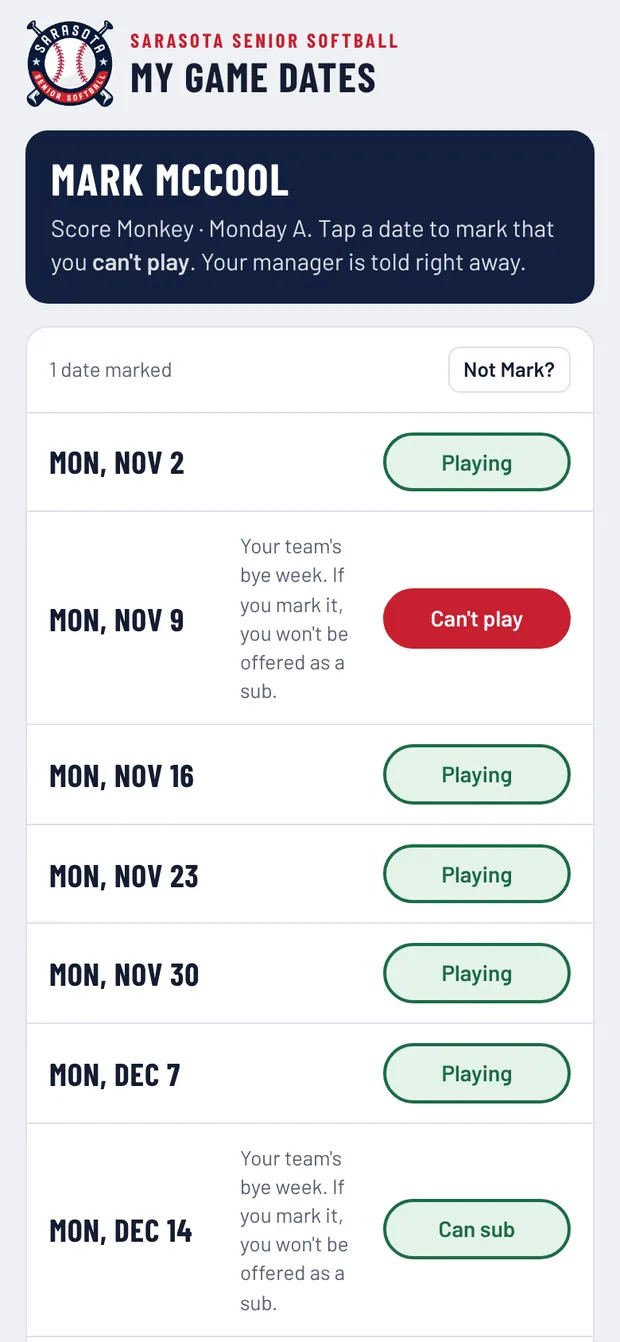
Tap a date
Switch it to Can't play. You're told right away.
📅
On your bye week his date says Can sub. If he taps it, he won't be offered as a sub that day.
✉️
No email on file? Just mark his dates for him: tap Out next to his name on the Sub Board for that week.
💬
Copy-paste for your team text: “Guys, mark any dates you can't play here. Tap your name, then the link in your email. Takes 30 seconds: [paste your team link]”
12 Handy extras
Buttons at the bottom of the board
💬
Copy update for group text
Copies who's out and who's subbing, ready to paste into your group text.
🖨️
Print sub sheet
A clean printout of the day's teams, outs and subs.
📋
Lineup card
Jumps to the Lineup Card for your team.
🔗
Copy my team's player link
The link your players use to mark the dates they can't play.
🗓️
Use the ‹ › arrows or the date menu at the top of the board to look ahead. You can mark outs for any future week.
Questions? Stuck?
Call or text your league coordinator. They can skip a turn, open the list, sign you in or fix anything on the board.